
Every server you SSH into, on every device you own Все ваши серверы на каждом вашем устройстве
Steelshell keeps hosts, keys, passwords and snippets in one vault, encrypted on your device. Sign in on Windows, Android or in a Linux terminal and they are already there. Steelshell хранит хосты, ключи, пароли и сниппеты в одном хранилище, которое шифруется прямо на устройстве. Войдите на Windows, Android или в терминале Linux, и всё уже на месте.
Free. Windows 10 and 11, Android 7 and newer, Debian 11 and Ubuntu 20.04 or newer. Бесплатно. Windows 10 и 11, Android 7 и новее, Debian 11 и Ubuntu 20.04 и новее.
This is the terminal app, working in your browser. Pick a server and press Enter, then try uptime, df -h or exit.
Это терминальная версия Steelshell, она работает прямо в браузере. Выберите сервер, нажмите Enter и попробуйте uptime, df -h или exit.
The same hosts on Windows, Android and LinuxОдни и те же хосты на Windows, Android и Linux
Add a server on one device and it shows up on the others within seconds, with its group, color and saved key.Добавьте сервер на одном устройстве, и через пару секунд он появится на остальных вместе с группой, цветом и сохранённым ключом.
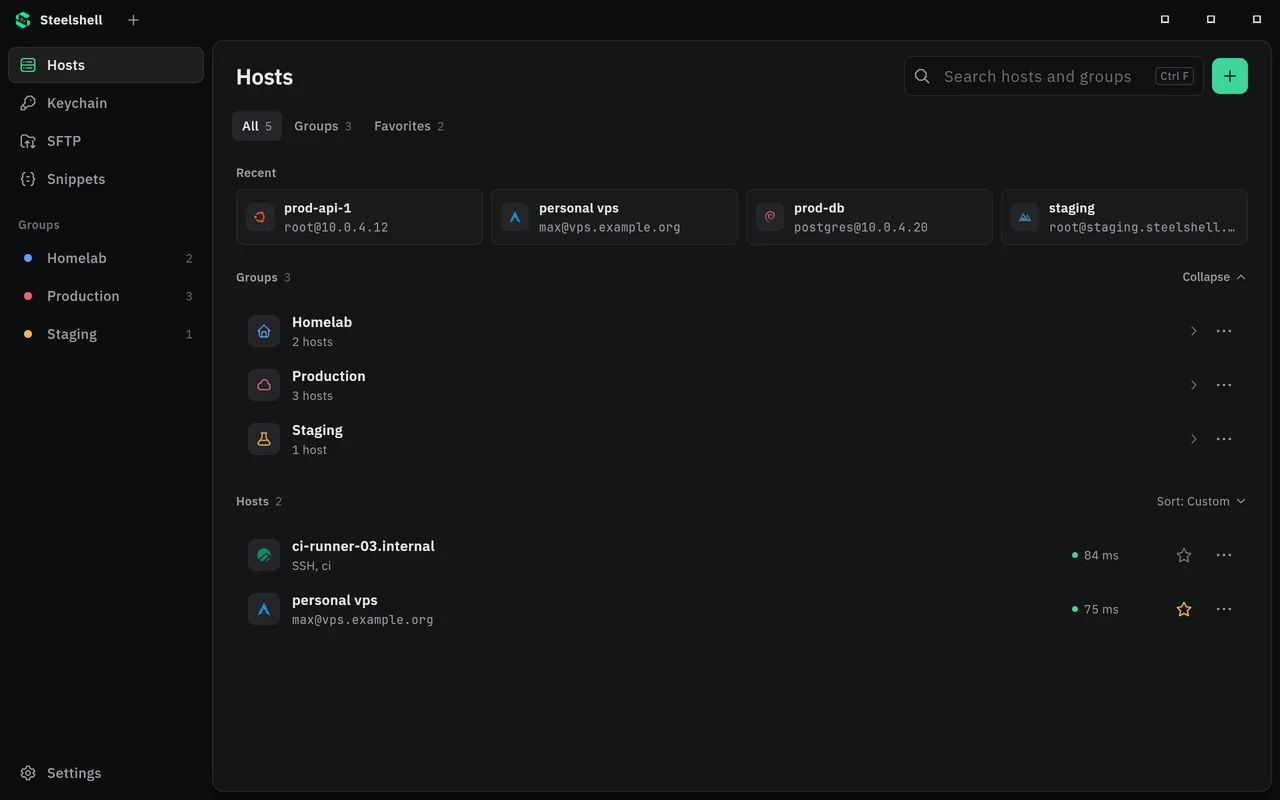
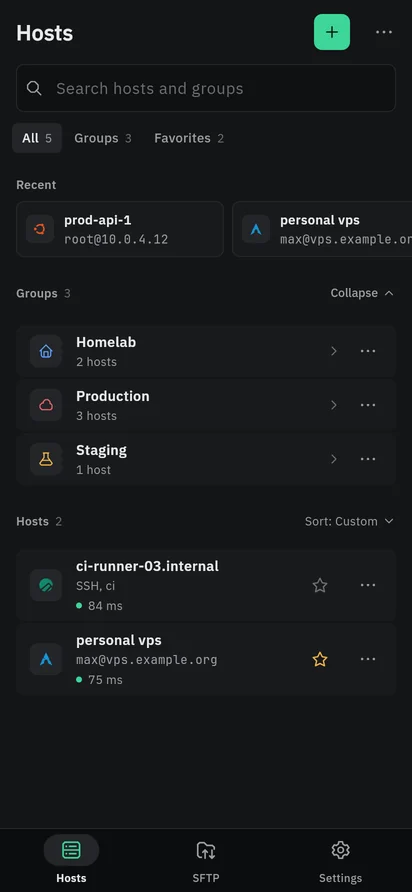
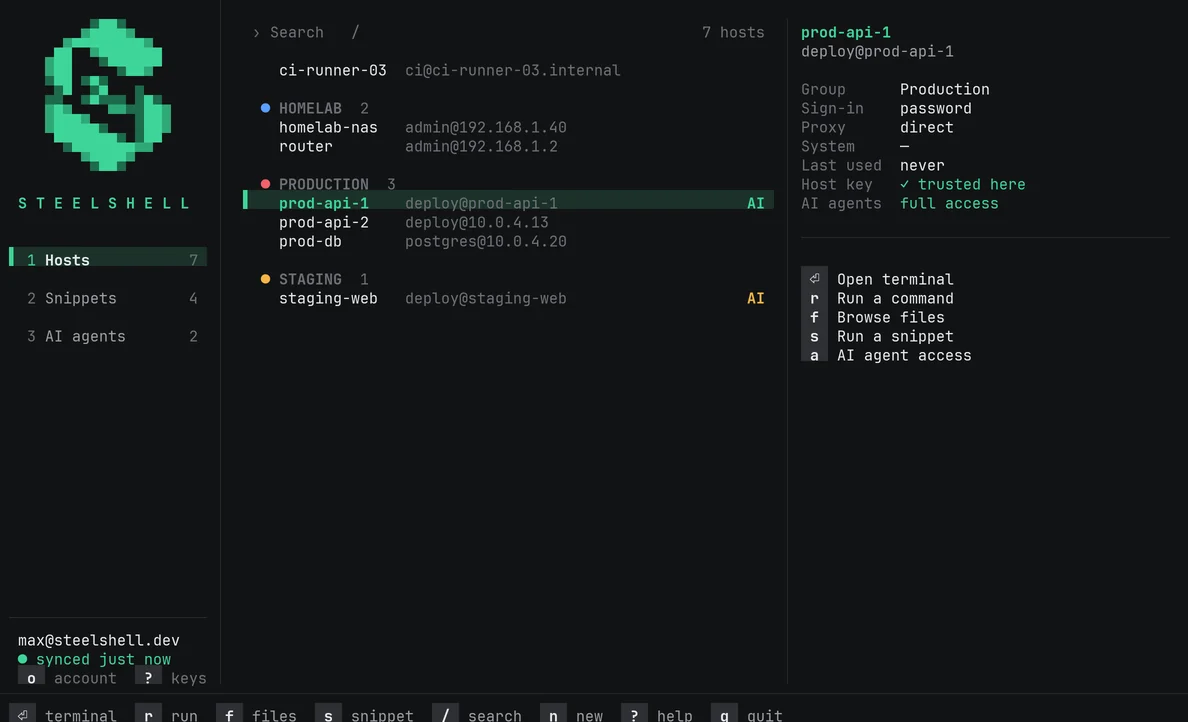
steelshell opens the same vault, over SSH too.В терминале Linux: steelshell открывает то же хранилище, в том числе по SSH.The sync server stores only ciphertextСервер синхронизации хранит только шифротекст
Every host, key and password is encrypted on your device before it is sent. Here is one host as you see it, and as the server keeps it.Каждый хост, ключ и пароль шифруется на устройстве до отправки. Вот один хост: каким его видите вы и каким его хранит сервер.
On your phoneУ вас на телефоне
prod-api-1
- AddressАдрес
- deploy@10.0.4.12
- Signs in withВход
- key deploy-ed25519ключ deploy-ed25519
- GroupГруппа
- Production
- PasswordПароль
- ••••••••••
On api.steelshell.devНа api.steelshell.dev
{
  "id": "3f2a9c1e-5d17-4b8e-9a30-6c1f0e7b2d44",
  "kind": "host",
  "revision": 214,
  "deleted": false,
  "ciphertext": "hV3pQ9mZr8Lw0tYc2B7xKfN4sE1uJgA6dRvT5iWoP+qXy3bM8nHk0lCz7eFaUj2GQrS9V4tD1wI6oKbY5mEhN0xP3sLfT8gRc2jZ7vA1nU4yQ9iB6kWdM5HeX0oG3pJtF8r"
}- Your password stays on your deviceПароль не покидает устройство
- It goes through Argon2id with 64 MiB of memory. The server receives a key derived from it, never the password itself.Он проходит через Argon2id с 64 МиБ памяти. Сервер получает только выведенный из него ключ, а не сам пароль.
- Each item is sealed on its ownКаждая запись шифруется отдельно
- AES-256-GCM with your vault key, bound to the item's id, so records can't be swapped for one another.AES-256-GCM ключом хранилища с привязкой к id записи, поэтому записи нельзя подменить друг другом.
- New devices sign in with your approvalНовые устройства входят с вашего разрешения
- A server can sign in from a link: your browser encrypts the vault key for that device's one-time X25519 key, and the server only passes it on.Сервер может войти по ссылке: браузер шифрует ключ хранилища для одноразового X25519-ключа этого устройства, а сервер только передаёт его.
- Only you can recover itВосстановить можете только вы
- Steelshell can't reset your vault. The recovery key you write down when you sign up is the way back in.Steelshell не может сбросить хранилище. Вернуться можно по ключу восстановления, который вы записываете при регистрации.
Let an AI agent fix a server without handing it the passwordАгент чинит сервер, а пароль остаётся у вас
Steelshell runs an MCP server for Claude Code, Codex and Cursor. The agent reads logs, runs commands and edits files on the servers you share, and never sees an address, a password or a key.Steelshell запускает MCP-сервер для Claude Code, Codex и Cursor. Агент читает логи, выполняет команды и правит файлы на серверах, которые вы открыли, и не видит ни адресов, ни паролей, ни ключей.
You decide per server: read only, or commands and file edits too. Passwords and tokens in the output are hidden from the agent, and every call goes into a log that steelshell agent log shows.Для каждого сервера вы решаете сами: только чтение или ещё команды и правка файлов. Пароли и токены в выводе скрываются от агента, а каждый вызов попадает в журнал, его показывает steelshell agent log.
/plugin marketplace add steelshell/claude-plugin
/plugin install steelshell@steelshell
Using Codex or Cursor? steelshell agent setup prints the configuration for them.Пользуетесь Codex или Cursor? steelshell agent setup покажет настройку для них.
prod-api-1 answers 502 since the last deploy, fix itprod-api-1 отдаёт 502 после деплоя, почини
list_hosts prod-api-1, full access
run_command journalctl -u api -n 50 --no-pager
Error: Cannot find module '/srv/api/src/router.js'
run_command ls src src/routes
read_file /srv/api/src/server.js
run_command cp -p src/server.js src/server.js.bak-20261023
write_file /srv/api/src/server.js +1 −1
run_command node --check src/server.js && sudo -n systemctl restart api
run_command curl -fsS localhost:8080/health
ok
The router moved to src/routes/index.js in the last deploy, but server.js still imported ./router.js. I fixed the import, checked the syntax and restarted the service, and /health answers again. To roll back, restore server.js.bak-20261023.В последнем деплое роутер переехал в src/routes/index.js, а server.js всё ещё импортировал ./router.js. Исправил импорт, проверил синтаксис и перезапустил сервис, /health снова отвечает. Откатить можно из server.js.bak-20261023.
Steelshell in a terminalSteelshell в терминале
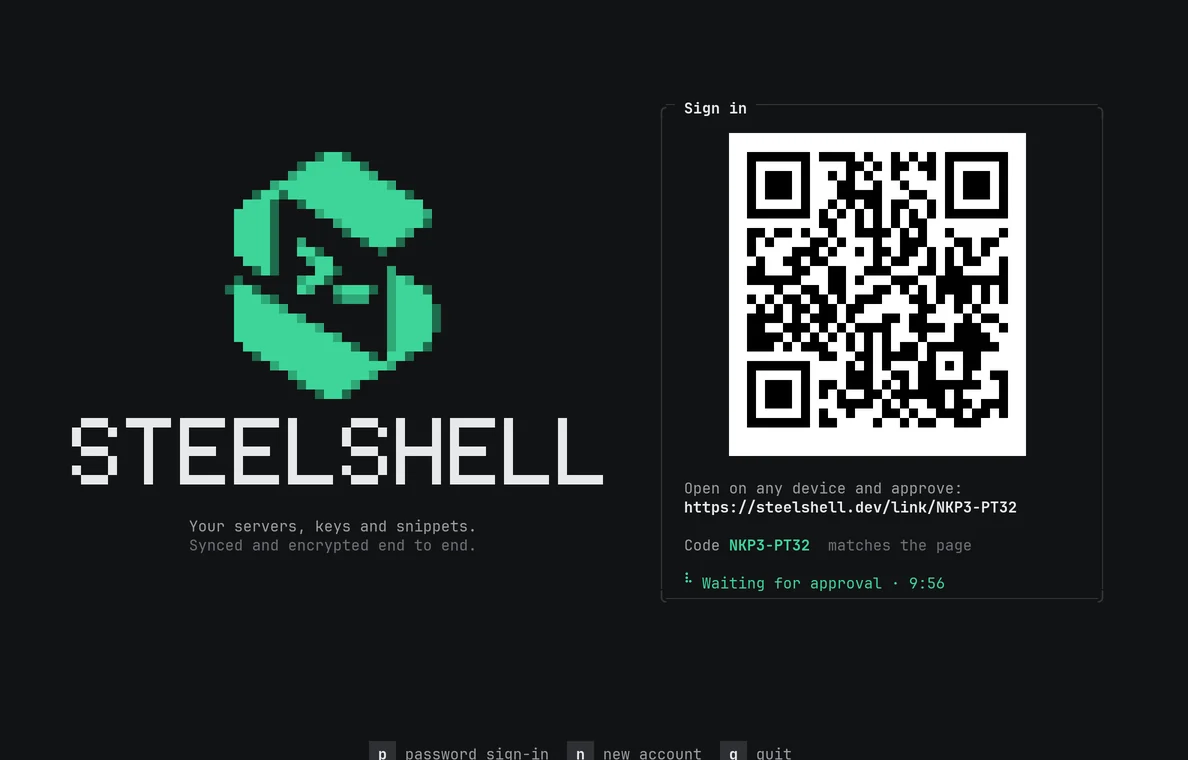
Install it on any Debian or Ubuntu machine, a server included. Sign in by scanning a code with your phone, so your password never touches that machine.Ставится на любую машину с Debian или Ubuntu, в том числе на сервер. Вход по коду с телефона, так что пароль на эту машину не попадает.
curl -fsSL https://steelshell.dev/install.sh | sh
- steelshell
- the full-screen appполноэкранное приложение
- steelshell ssh prod-api-1
- a shell, signed in with the saved key or passwordтерминал, вход по сохранённому ключу или паролю
- steelshell exec web -- uptime
- one command with its exit code, for scriptsодна команда с кодом выхода, для скриптов
- steelshell cp ./dist web:/srv/app
- copy files over SFTPкопирование файлов по SFTP
- steelshell agent setup
- connect Claude Codeподключить Claude Code
DownloadСкачать
App 0.4.2, command-line app 0.2.2. Older versions and checksums are on GitHub.Приложение 0.4.2, консольная версия 0.2.2. Старые версии и контрольные суммы на GitHub.
| ForДля | FileФайл | SizeРазмер | LinkСсылка |
|---|---|---|---|
| Windows 10, 11 | Installer, updates itselfУстановщик, обновляется сам | 16 MB | DownloadСкачать |
| Windows 10, 11 | Portable zipПортативный zip | 20 MB | DownloadСкачать |
| Android 7 and newerAndroid 7 и новее | APK | 81 MB | DownloadСкачать |
| Debian, Ubuntu (amd64) | .deb packageПакет .deb | 3 MB | DownloadСкачать |
| Debian, Ubuntu (arm64) | .deb packageПакет .deb | 3 MB | DownloadСкачать |